# Importing Opening Stock
Import Opening Stock
---------------------------------------------------------
Import Opening Stock allows you to upload the initial stock quantities for multiple products at once using a file, instead of entering them individually.
Importing Opening Stock
------------------------------------------------------------
Follow the steps below to import opening stock:
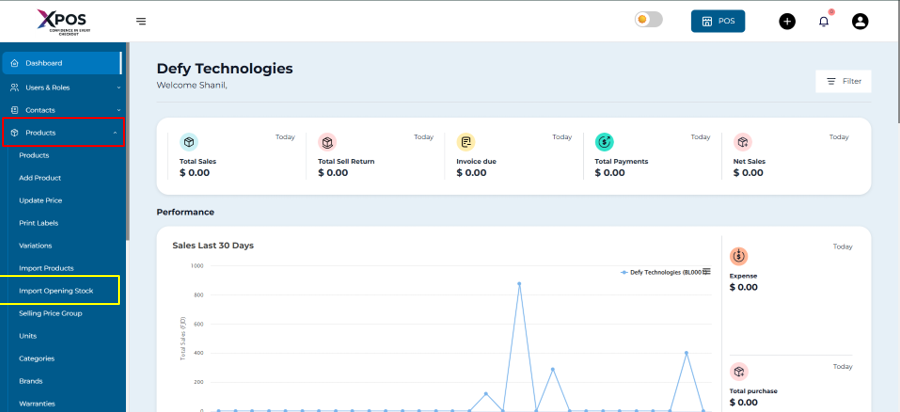
1. Go to **Products**.
2. Select **Import Opening Stock**.
[](https://learn.defy.com.fj/uploads/images/gallery/2026-02/QPafZOm6COz3K2h6-screenshot-2026-02-10-132135.png)
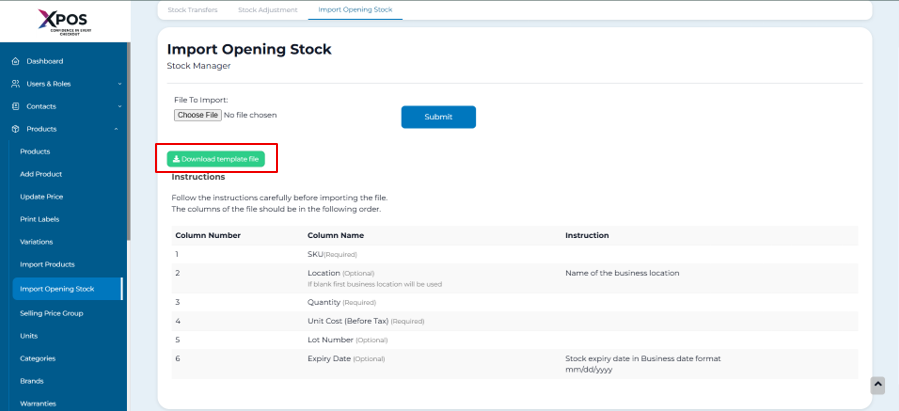
3. Download the sample import file (if required).
[](https://learn.defy.com.fj/uploads/images/gallery/2026-02/3EEs2gJPxItEwu9o-screenshot-2026-02-10-132737.png)
4. Enter the opening stock quantities in the file.
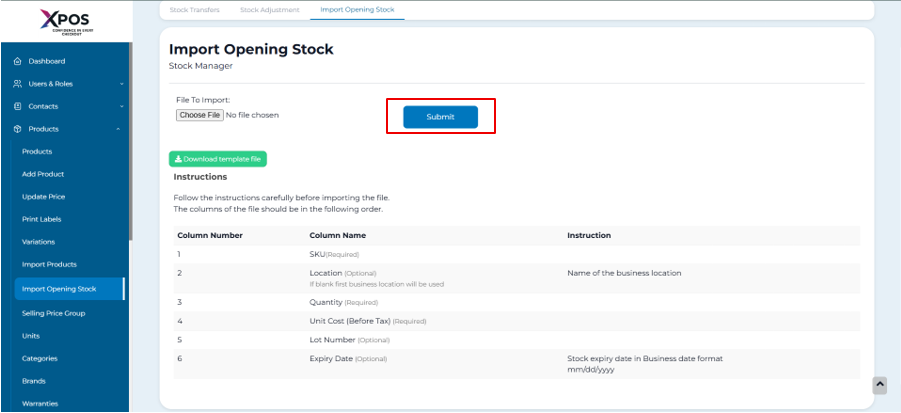
5. Upload the completed file.
6. Click **Submit** to apply the changes.
[](https://learn.defy.com.fj/uploads/images/gallery/2026-02/RK6MRbHYPLnMTIuG-screenshot-2026-02-10-133006.png)
The uploaded quantities will be recorded as the opening stock for the corresponding products.
Editing Imported Opening Stock or Setting It to Zero
-----------------------------------------------------------------------------------------
If opening stock has already been imported and needs adjustment, follow the steps below.
### Adjust Imported Opening Stock
1. Navigate to **List Products**.
2. Click **Products > Import Opening Stock**.
3. Prepare a new import file with adjustment values.
4. Enter the adjustment quantity:
- Use a **positive value** to increase stock.
- Use a **negative value** to reduce stock.
5. Upload the file and complete the import.
### Adjustment Examples
- If the existing opening stock is **10**:
- Enter **-10** to reduce the stock to 0.
- Enter **-4** to adjust the stock to **6**.
- Enter **5** to increase the stock to **15**.
The system updates stock based on the adjustment values provided in the import file.