
Splitting Payments Across Multiple Payment Type
XPOS allows a single invoice (Sale & Purchase) to be paid using more than one payment method. This is useful when a customer wants to combine cash, card, or other approved payment methods to complete a purchase.
Steps to Split Payment on an Invoice
- Go to Sale Creation: Navigate to
/pos/createto start a new transaction.

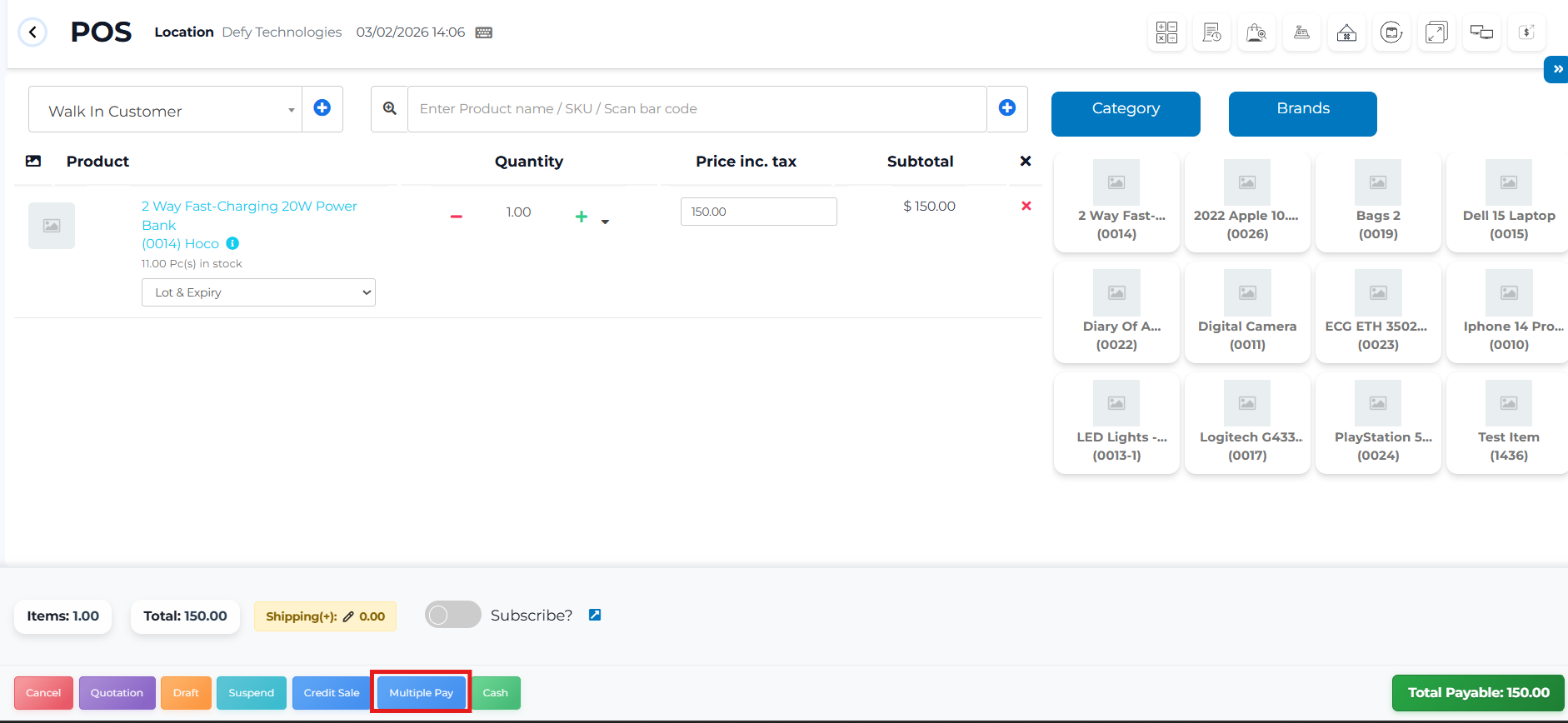
- Add Items to Sale: Add all items the customer wants to purchase to the invoice.
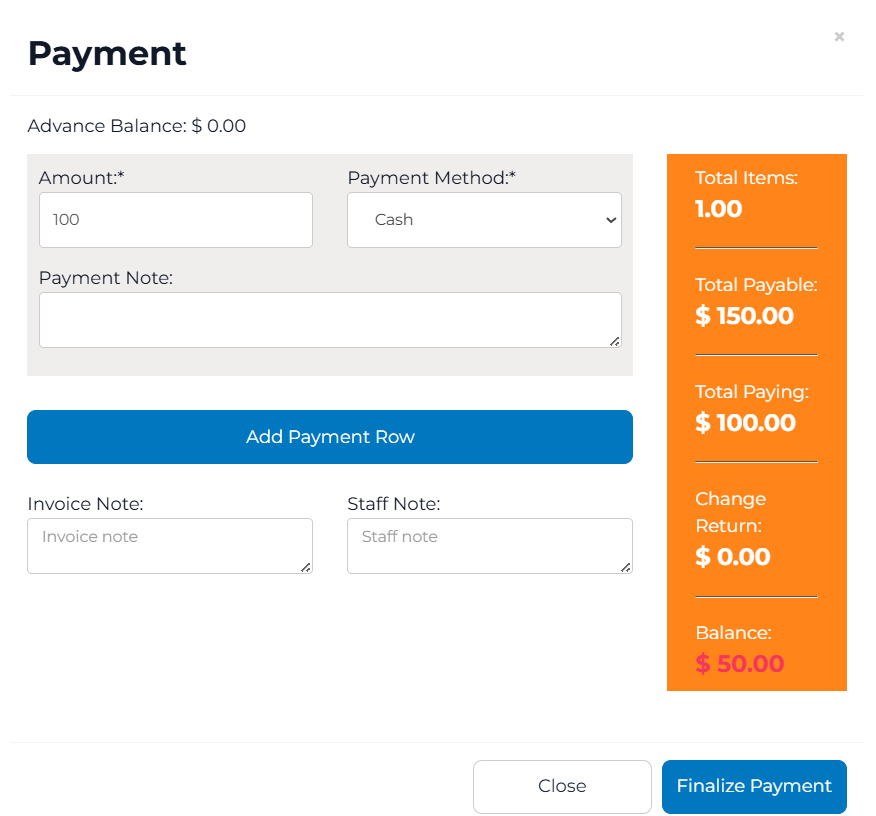
- Click Multiple Pay: Open the multiple payment options.
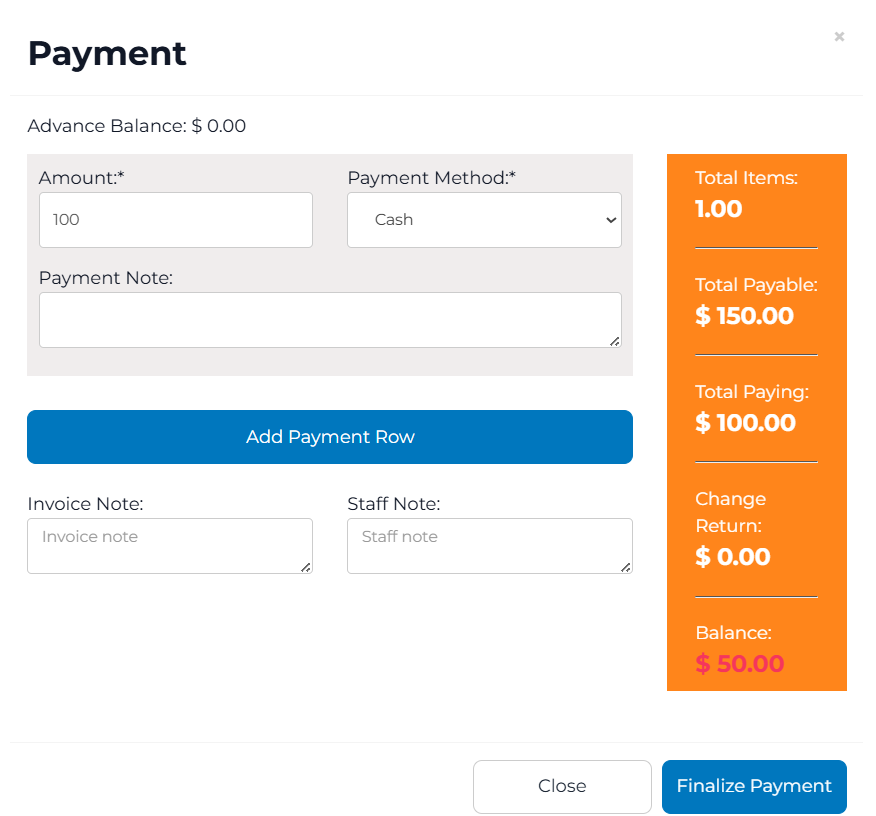
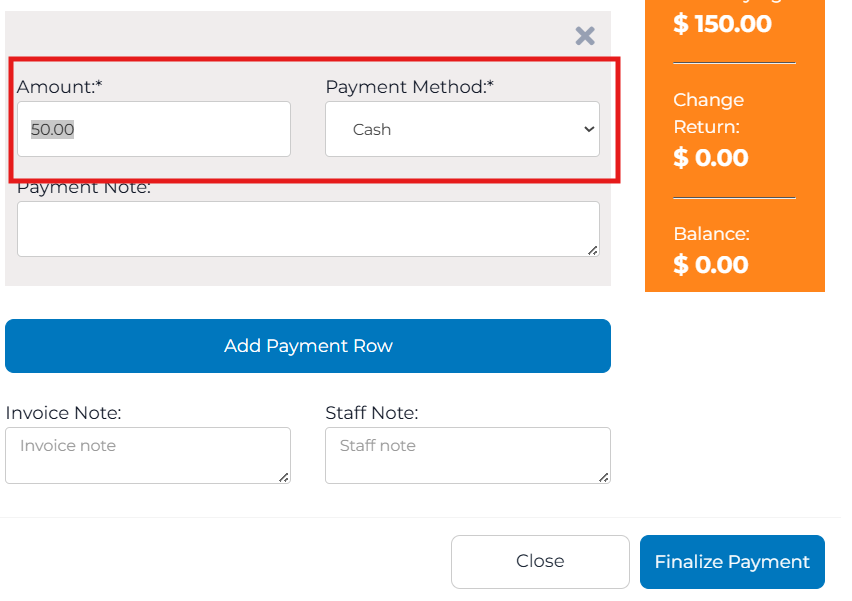
- Add Payment Row: Click Add Payment Row to include another payment method.
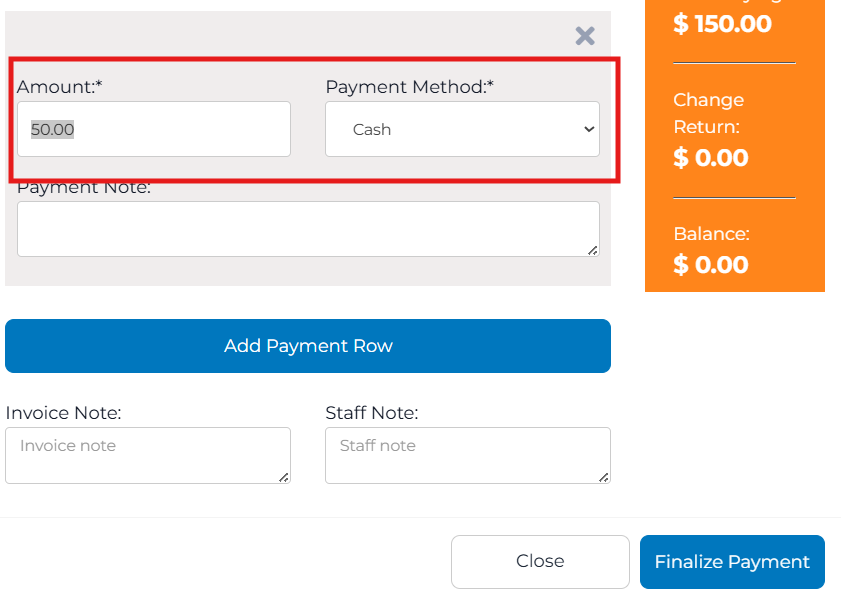
- Select Payment Method: Choose the payment method for the new row and enter the amount.
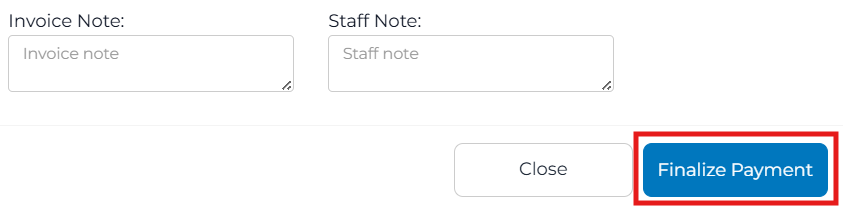
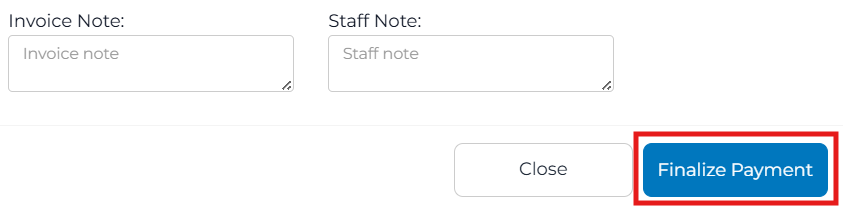
- Finalize Payment: After all splits are entered, click Finalize Payment to complete the transaction.
Supported Payment Types
- Cash
- Card
- Check
- Wire Transfer
- Voucher
- Mobile
- Other
Notes
- The system ensures the total payment matches the invoice amount before allowing finalization.
- Partial payments are recorded under each payment method for accurate reporting.
- This feature complies with VSDC-based VMS requirements when connected.