
VMS Compliance Documentation
This document explains how our POS system works with the fiscal system (SDC) in a simple way.
1. POS must be connected to SDC
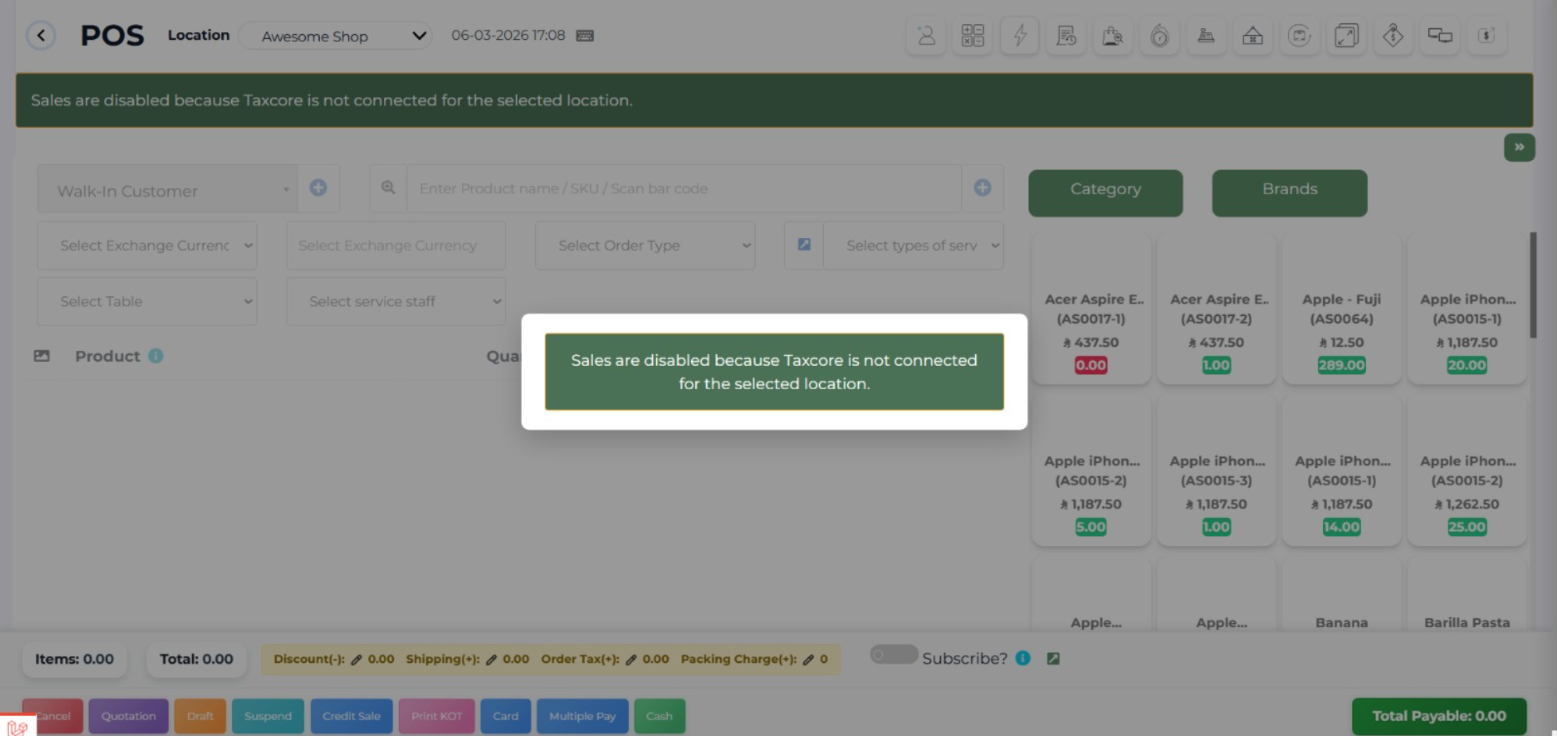
Our POS system cannot create or print an invoice unless it is connected to the SDC.
- If there is no connection → no invoice can be made
- This ensures all invoices are properly recorded by the tax system
2. No changes to SDC response
When the SDC sends back invoice information, the POS system:
- Does not remove anything
- Does not change anything
What the SDC sends is exactly what appears on the invoice.

3. No sales without fiscal invoice
Every sale must have a fiscal invoice.
- You cannot record a sale without generating an invoice
- This ensures all sales are officially tracked
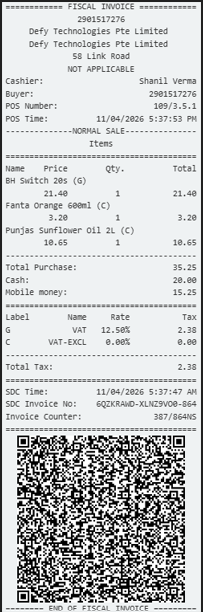
4. Invoice header must be complete
The top part of the invoice (issuer details):
- Includes all information returned by the SDC
- Nothing is missing or hidden
This guarantees correct business identification on every invoice.
5. External printer support
The POS system:
- Supports an external printer
- Can send invoices to a connected printer device
6. Built-in printing capability
The POS system also:
- Has printing as part of the system itself
- Can print invoices directly without needing special setup
Summary
- No SDC → No invoice
- No invoice → No sale
- No changes allowed to SDC data
- All invoice details must be complete
- Printing is fully supported